

Absynth Tutorials
Funky Vocal Synth NI Absynth Tutorial
First let’s set voices number to 1 since we want this instrument to be monophonic.

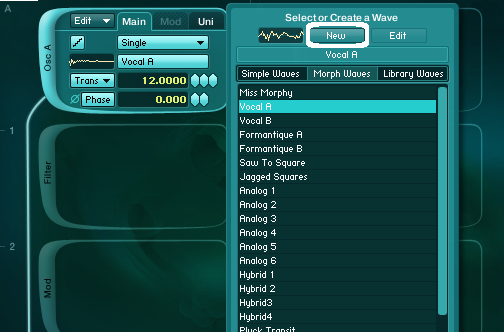
Enable oscillator A and set it’s transpose settings to +12.
For the waveform we will choose Vocal A waveform from the Morph Waves tab in the waveform selector menu. Then press New button so Absynth will load it in the Wave menu.
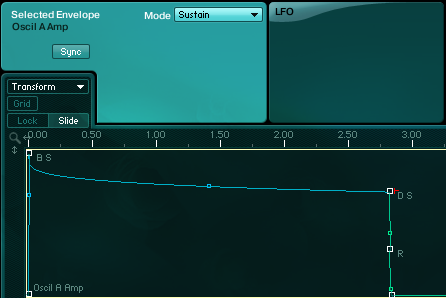
Set the amplitude envelope of oscillator A like in the picture below.
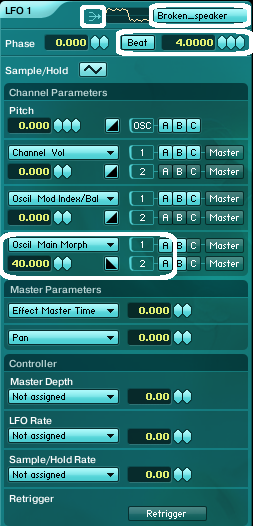
Got to the LFO1 and set the waveform morph parameter of OscA to be modulated with 40 percent.
Set the wave of LFO1 to Broken Speaker waveform (for some randomness) and be sure LFO1 is set to mono. This will ensure that it won’t be restarted with each new note played.
For the filter we will use comb filter which works particularly nice with morphable waveforms since.
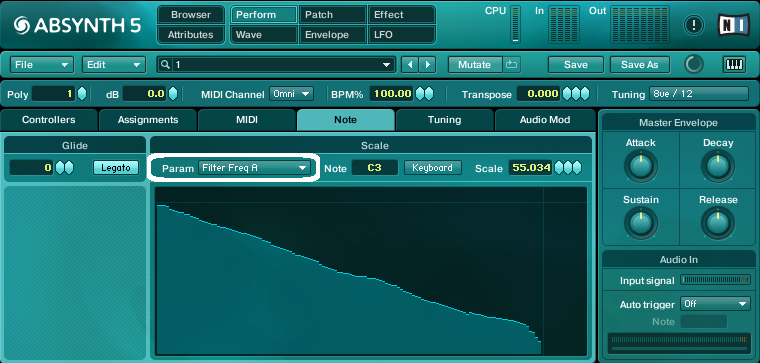
First let’s assign the key scaling for the filter in the Performance window in Absynth under the Note Tab. Here you can choose parameter you want to modulate with keyboard values.
So choose Filter A frequency parameter and draw a curve like in the picture below so each note will have it’s own frequency value.
This is a very useful technique when you want to prevent timbre of the sound from being too static and dull.
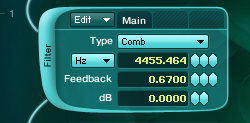
Set Comb filter to something like this for now.
We will also use waveshaper module to make the sound a bit harsher and also low pass filter to attenuate the high frequencies in the sound. Enable bot modules in the master section and set them like this.

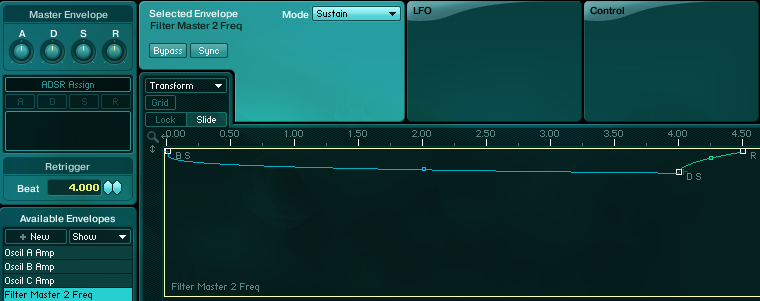
Assign new envelope to the Master filter frequency parameter and set it like this.
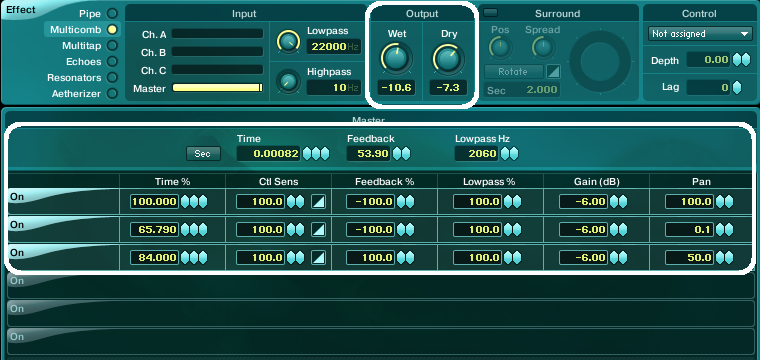
I have also added Multicomb Master effect with very short time. It only thickens the sound and give it sense of space so it works like a some kind of stereo widening effect. Experiment with different time values and feedback amounts for different effects.
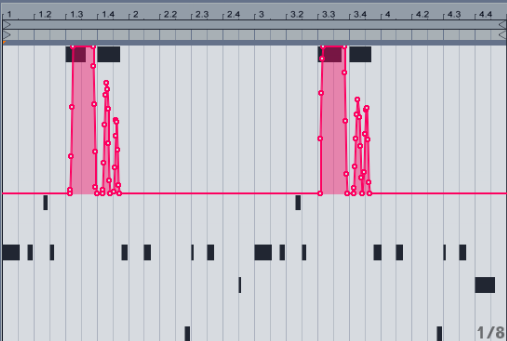
Another trick to use to bring the sound into life is pitch bend and it works really nice in this case.
In the Perform menu of the Absynth choose MIDI tab and set Bend parameter to 2 semitones.
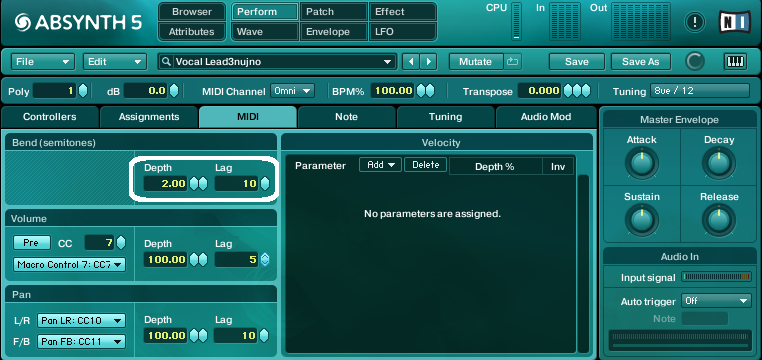
Here is one example of pitch bend automation
We could also use another sine wave oscillator with a bit of waveshaping for the lowest part of the sound.
Set Osc B and waveshaper effect like in the picture below.
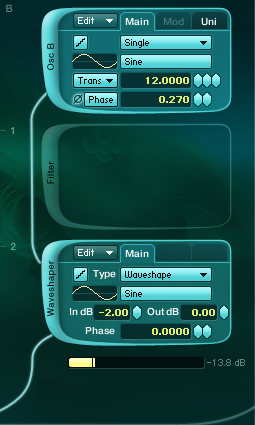
Set amplitude envelope of Oscillator B to similar shape as we did with Osc A amplitude envelope.
[audio:https://www.absynthtutorials.com/wp-content/uploads/2012/08/Sample-2.mp3|titles=Sample 2]With changing the morph amount and the Phase parameter of the LFO1 affecting Osc A waveform and by carefully adjusting the comb filter A frequency and resonance parameter we can get some very interesting tones because of the complex interaction of morphing waveform and comb filter effect.
Try also changing morph waveforms for oscillator A.
This way you can get some exciting tones.
Here are few examples of different morph waveforms used.
The third one sounds particularly nice to my ears.
[audio:https://www.absynthtutorials.com/wp-content/uploads/2012/08/Other-Morph-Waveforms.mp3|titles=Other Morph Waveforms]Also we could further modulate comb filter frequency with LFO2 which will cause some pleasing spectral shifts in the timbre of the sound.
But in this case be sure to keep comb filter resonance parameter at values below 0.500 or else the loudness of comb filter will vary too much because of the phase cancellation effect.
This a powerful way for generating interesting tones and timbres.
Also don’t forget you can draw your own waveforms and also apply various effects such as Fractalize, FM, Filter, Waveshape to the waveforms itself and then morph between them. We will explore these techniques further in one of the next tutorials.
Till the next Absynth Tutorial,
Tonko

 YOUTUBE